DOCX Editor MCP App
Open a Word document in ChatGPT, Codex, or Claude. Read it, edit it, and review its tracked changes and comments in the chat.
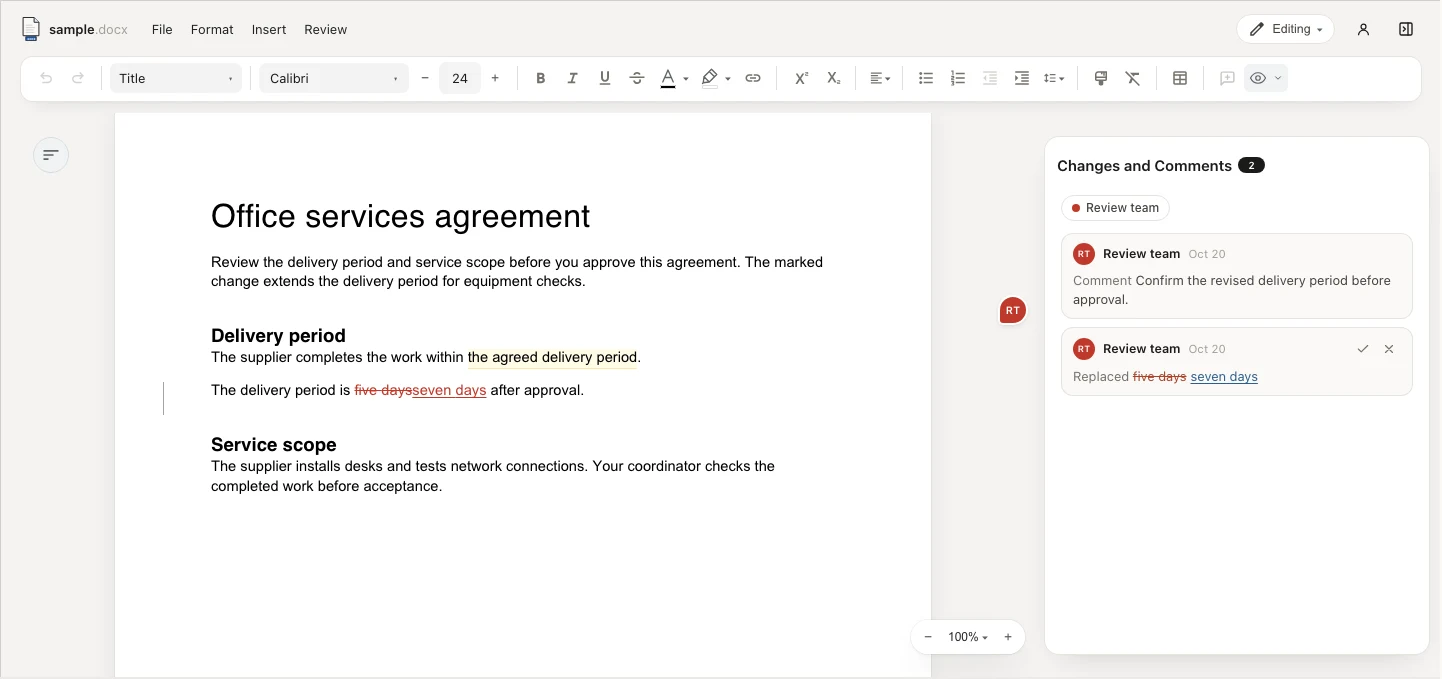
How it works
Keep one preview open while your assistant works. See file updates in place, then click into the document to make your own changes.
Open your Word file
Ask your assistant to open a .docx file. See its pages, tables, and images in the preview.
Ask for a change
Your assistant edits the file with its document tools. The same preview follows the changes.
Review it together
Read comments, accept or reject tracked changes, and make your own edits before you save.
Your files
- Work with local documents
- The plugin runs on your computer. It does not send your documents to Eigenpal servers.
- Protect edits in progress
- When file updates conflict with your unsaved edits, the preview asks which version you want to keep.
- Review comments and changes
- Use comments and tracked changes inside the official plugin, including for business documents.
License
Personal and business use includes the bundled Pro review features. Reusing Pro code in another product requires a separate license.
Support and policies
Support
Installation, file updates, and saving your work.
License
Free official plugin use and the separate Pro terms.
Privacy
How local files, settings, and update checks work.
Terms of use
Your document rights and plugin use.
The plugin opens .docx files up to 15 MB. Your assistant needs its own document tools to edit files. Your host and model provider process content under their own policies.